

The system of record and the source-side permissions approved for connection.
SECURITY AND ARCHITECTURE
Start read-only. Stay in control.
Turbobase gives admins a governed layer around NetSuite. Access is scoped, upstream write-back begins off, and approved work moves through confirmation, testing, release controls, and audit events.
01 / SYSTEM FLOW
NetSuite stays the system of record.
Turbobase mirrors permitted source data into a dedicated canonical model, adds technical and business context, and routes approved changes back only when write-back is enabled for that source.
Each organization receives its own Turbobase application and database.
Records preserve source identity, modification time, synchronization state, and origin.
Roles, capabilities, scopes, confirmation, hooks, guardrails, tests, and release gates.
Approved changes can flow upstream only after write-back is explicitly enabled.
02 / CONTROL LAYERS
See what you need. Set the limits.
The control model separates what a user can see, what an application can attempt, and what may cross the source write boundary.
Invite-only access
Authentication and customer identity options establish who can enter the instance.
- User sessions and personal access tokens
- Optional customer identity providers
- No privileged AI back door
Role and scope controls
Capabilities, row-level security, and organizational scopes constrain what users and applications can access.
- Record-type capabilities
- Subsidiary, location, and department scopes
- Field restrictions within the product model
Staged and reviewable writes
AI-generated changes are staged for confirmation and can be subjected to business rules before execution.
- Confirmation-aware changes
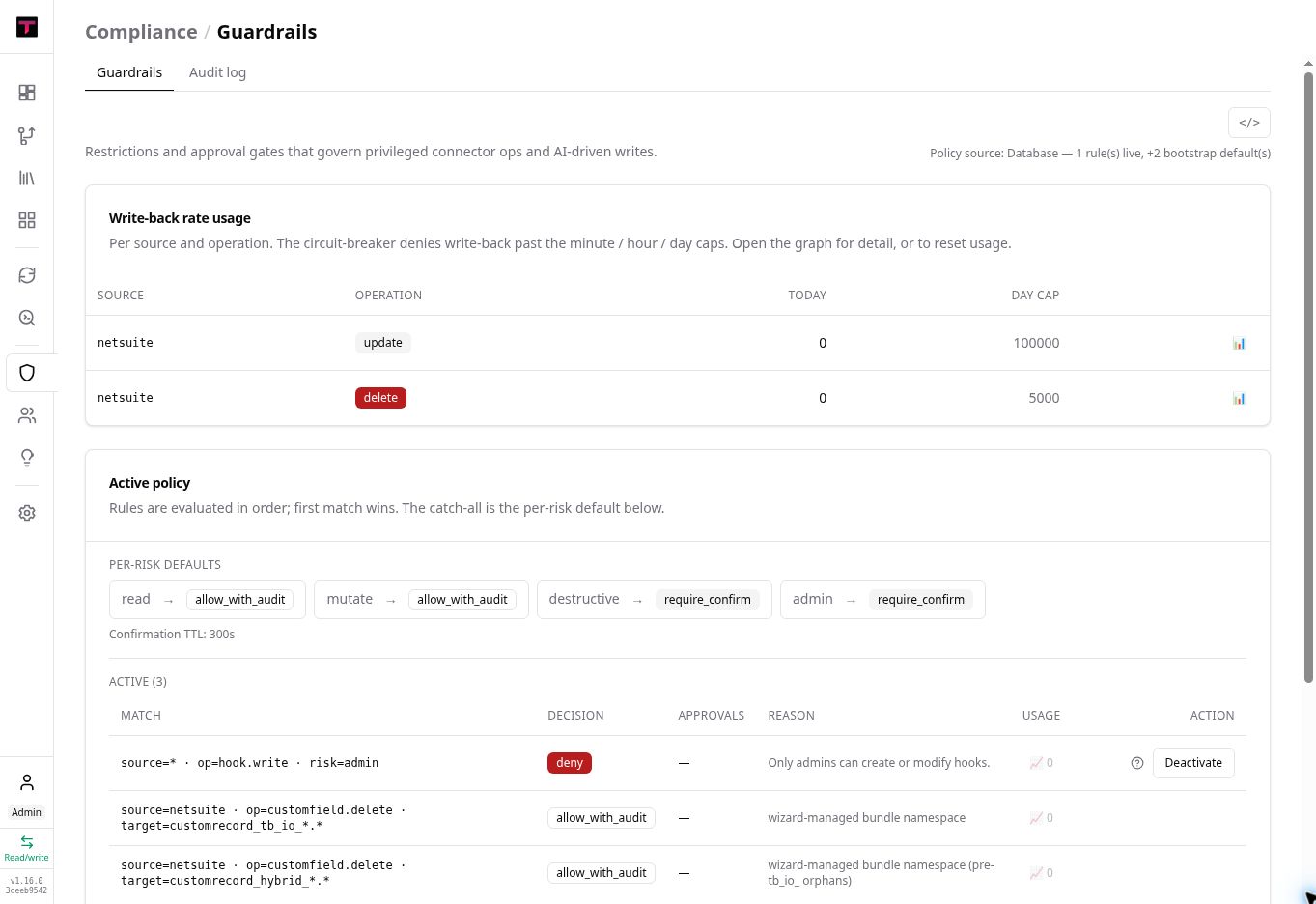
- Hooks and guardrails
- Source write-back off by default
Isolated validation
Extensions can be linted, tested, replayed, and evaluated against isolated data before release.
- Lint and test surfaces
- Replay and local sandboxes
- Mocks and bounded samples
Tracked delivery
Deployment plans and diffs make the intended change visible before promotion.
- Gated release flow
- Health baselines and monitoring
- Promotion and rollback controls
Audit events with boundaries
Privileged operations, guardrail decisions, and sign-in activity create a durable record.
- Attribution and decision evidence
- Append-oriented audit records
- Audit coverage does not include every low-level data change
03 / CONNECTION REVIEW
Know what you’re approving.
A NetSuite connection may require internal security, privacy, audit, and data-processing review. Review the access request and data-handling terms with your team before approving the connection.
Confirm the use case
Define whether the work begins as a diagnostic, platform evaluation, or ongoing operating environment.
Identify customer owners
Bring in the NetSuite administrator, security or IT owner, data or privacy reviewer, and economic buyer as needed.
Review required access
Document the integration record, approved role, source scopes, credentials, and initial read-only posture.
Review data handling
Confirm the current hosting, processing, retention, AI-provider, and contractual terms supplied for the engagement.
Connect and verify
Validate credentials, source health, synchronization behavior, and the evidence available for the agreed scope.
Confirm regional hosting, processing, retention, and data-residency requirements against the technical documentation and contract for your engagement.
04 / CURRENT BOUNDARIES
What’s supported. What’s still in preview.
Review the current capabilities and limits for MCP access, source write-back, conduits, automated actions, and connectors.
MCPRead-only data tools
MCP data tools are read-only. Access is scoped by permissions and row-level controls; MCP does not write changes to NetSuite.
WRITE-BACKAvailable when enabled
Source write-back is technically supported but begins off and remains controlled by the enabled source, permissions, confirmation, hooks, guardrails, tests, and releases.
CONDUITSExecution engine in Preview
Authoring, schema, CLI, lint, and replay tools are available. The conduit execution engine remains in preview.
AUTONOMYPermissioned and reviewable
Automated work remains subject to permissions, review, and confirmation. Admins remain involved in approving changes.
CONNECTORSAvailability varies by source
Confirm connector availability and supported operations for your environment before planning an integration.
UNDERSTANDING FIRST. CONTROL THROUGHOUT.