Numbers you can trust
See what shapes a result before you decide what to do about it.
Trace the source ↓

FOR CFOs AND CONTROLLERS
Reduce unnecessary spend. Give your internal team more capacity.
Turbobase maps the configuration, report logic, dependencies, and business context behind your NetSuite operations. Finance gets evidence it can trust, a clear path to the fix, and a team that can do more without restarting discovery every time.

THE COST ISN’T JUST THE ERROR
When no one can see how the instance really works, every discrepancy becomes an investigation, every change starts with archaeology, and every close carries avoidable uncertainty.
See what shapes a result before you decide what to do about it.
Trace the source ↓Follow the work through its versions and understand what is live.
Explore the history ↓Spend less on repeated discovery and rework. Give your internal team more capacity to deliver.
Explore spend and capacity ↓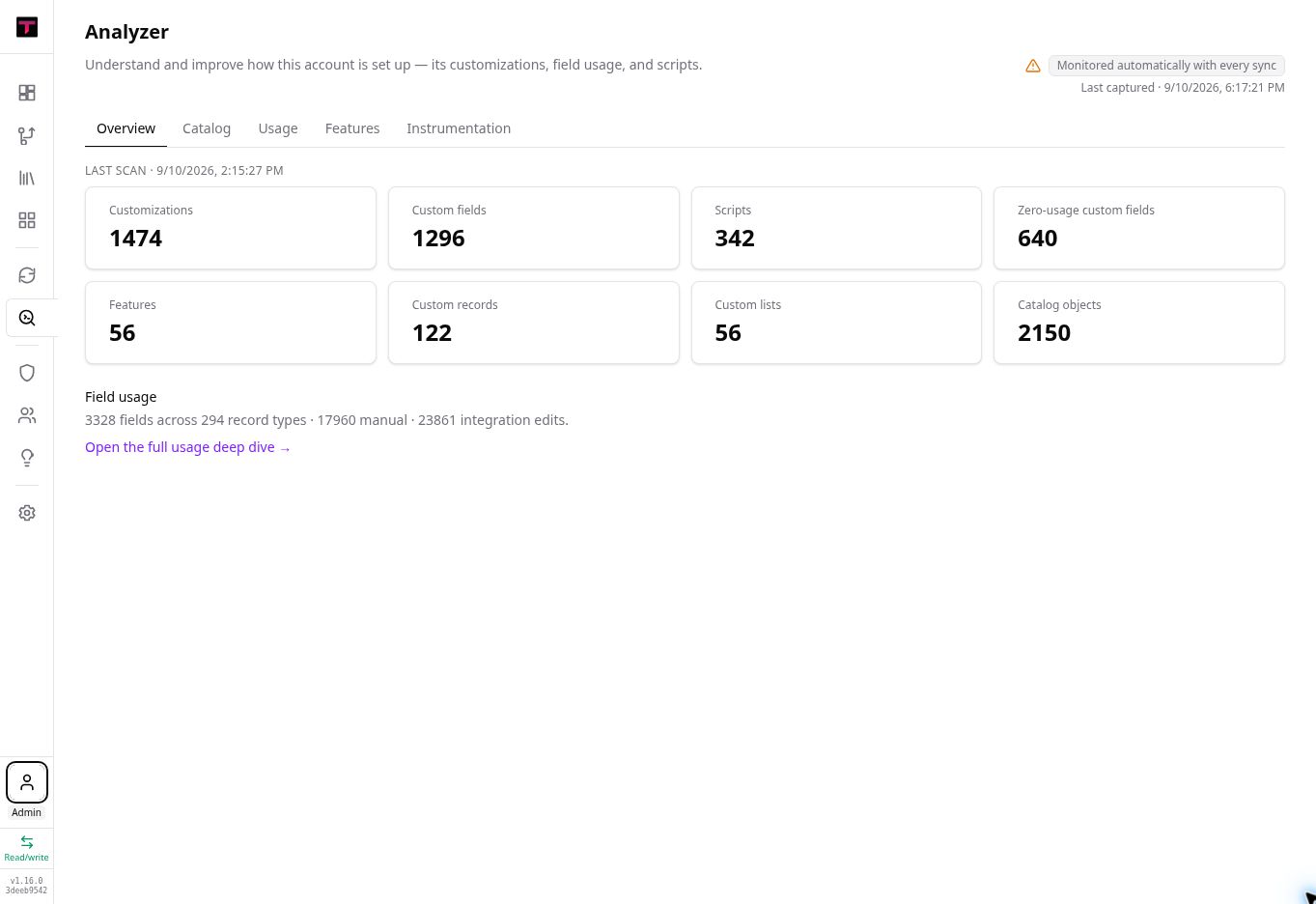
01 / NUMBERS YOU CAN TRUST
Bring the full environment into view, including the customizations and dependencies that ordinary reports leave out. Finance can see what shapes the result before deciding what needs attention.
Choose a highlight to explore the customizations, fields, and inputs behind the numbers.
Scripts, workflows, fields, records, reports, integrations, dependencies, and the business context that explains how people expect the process to run.
02 / AUDITABLE RECORDS AND HISTORIES
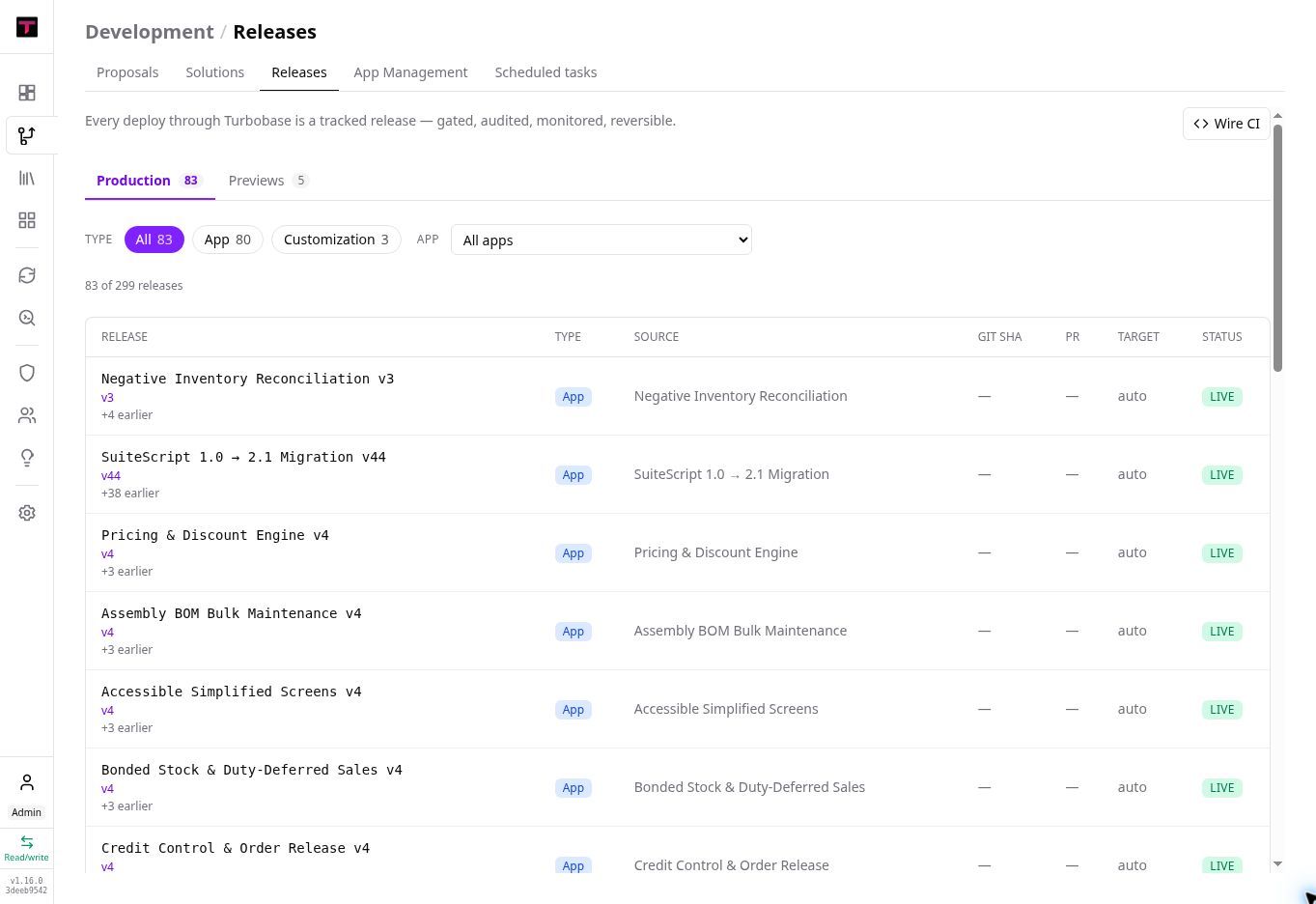
Keep proposed work, approvals, releases, and operating context together. The next close, audit question, or consulting engagement begins with the history intact.
Step through the release name, earlier versions, and live status in this product example.
No. Your permissions and configured source controls still apply. Changes remain reviewable, and authorized people stay in control of release decisions.
03 / REDUCE UNNECESSARY SPEND
Stop paying to rediscover what your organization already learned. Keep the context from each investigation and change, so the next task starts further ahead.
More capacity for the team you have. Give internal teams the context and tools to investigate discrepancies, build reports and apps, and clear recurring requests. Reserve outside expertise for the work that needs it.
SPEND + TEAM CAPACITY · USD
Model three things: outside help, the ticket backlog, and subscriptions you may no longer need. See the cash impact separately from the time your team gets back.
Editable example assumptions. No product performance or savings are assumed for you.
YOUR BUSINESS CASE
Track user satisfaction alongside resolution time to check whether the new workflow works better for the team.
Review these assumptions with us →Monthly cash change = avoided outside hours × outside rate + selected monthly subscription and integration costs − monthly platform, usage, and extra maintenance costs. First-year cash change = monthly cash change × 12 − one-time transition costs. This assumes a full year of avoided spend; revise your inputs for phased adoption or contracts you cannot cancel.
Backlog effort = outstanding tickets × hands-on hours per ticket. Capacity released = ticket count × (current − expected hours per ticket). The loaded-rate equivalent describes the value of that time; it is not added to cash savings or annualized. A slower target shows additional effort instead. No headcount reduction is assumed.
WHAT FINANCE GETS
Answer what happened and why with the configuration and business context behind the result.
Give admins and partners a shared source of truth, then direct outside expertise toward the work that actually needs it.
Retain what was learned and delivered so each request, release, and close starts further ahead.
BRING THE QUESTION
Show us the report, reconciliation, process, or outside engagement that keeps starting over.
Let’s trace it together →